
You can now pull an AI image apart into pieces, change one thing, and snap it back together like nothing happened. Right now, if you change one word in a headline, the entire picture regenerates. The product moves, the lighting shifts, and you're starting over. That is the thing this kills.
Layers is now live in Luma, powered by Uni1, the model that builds the image in separate pieces from the start. And if you're new to this, a layer is basically one piece of the picture sitting on its own sheet. The headline is one. The bottle is one. The background is one. Flat isn't final anymore.
How the Deconstruct Works
Here's how it actually works. You right-click your image, hit extract layers, and tell it in plain English what to pull apart. All the text on its own layer, the bottle on its own, the fruit, the ice. That is the deconstruct.
You don't need to know technical layer terminology. You don't need to trace anything. You just describe what should be separate, and Luma figures out the boundaries. The model was trained to understand objects and text as distinct entities from the start, so when you ask it to isolate "the bottle" or "the headline," it already knows what you mean.
This changes the entire workflow. Before, if you wanted to edit one element of an AI-generated image, you had two options: regenerate the whole thing and hope the rest stayed similar, or export to Photoshop and start masking. Both options were slow, and the first one was basically a dice roll.
Now the deconstruct step gives you the working file structure that AI images never had. Each piece lives independently. The background sits on its own sheet. The product sits on its own. The text sits on its own. You can click into any of them.
Text That Stays Live
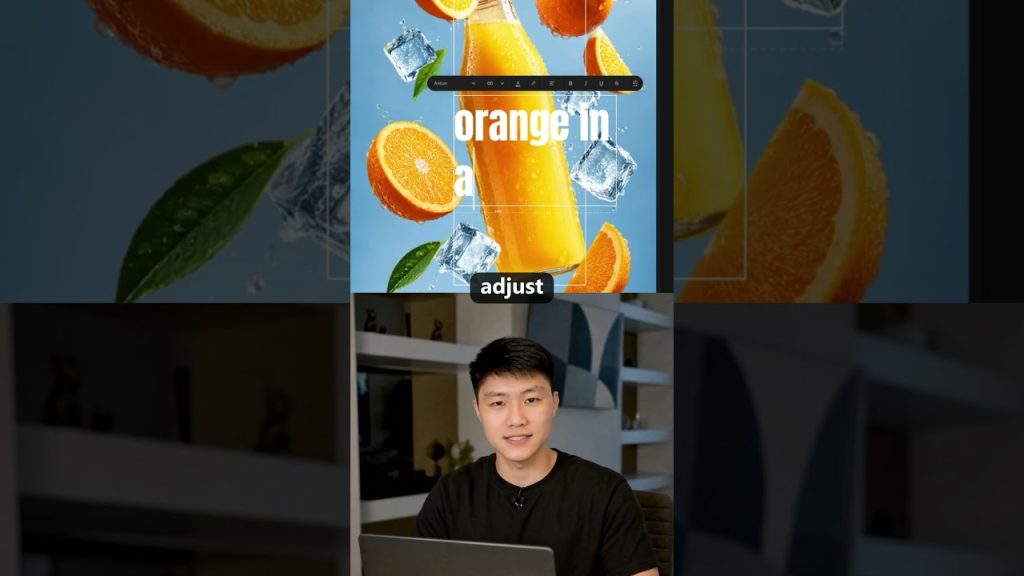
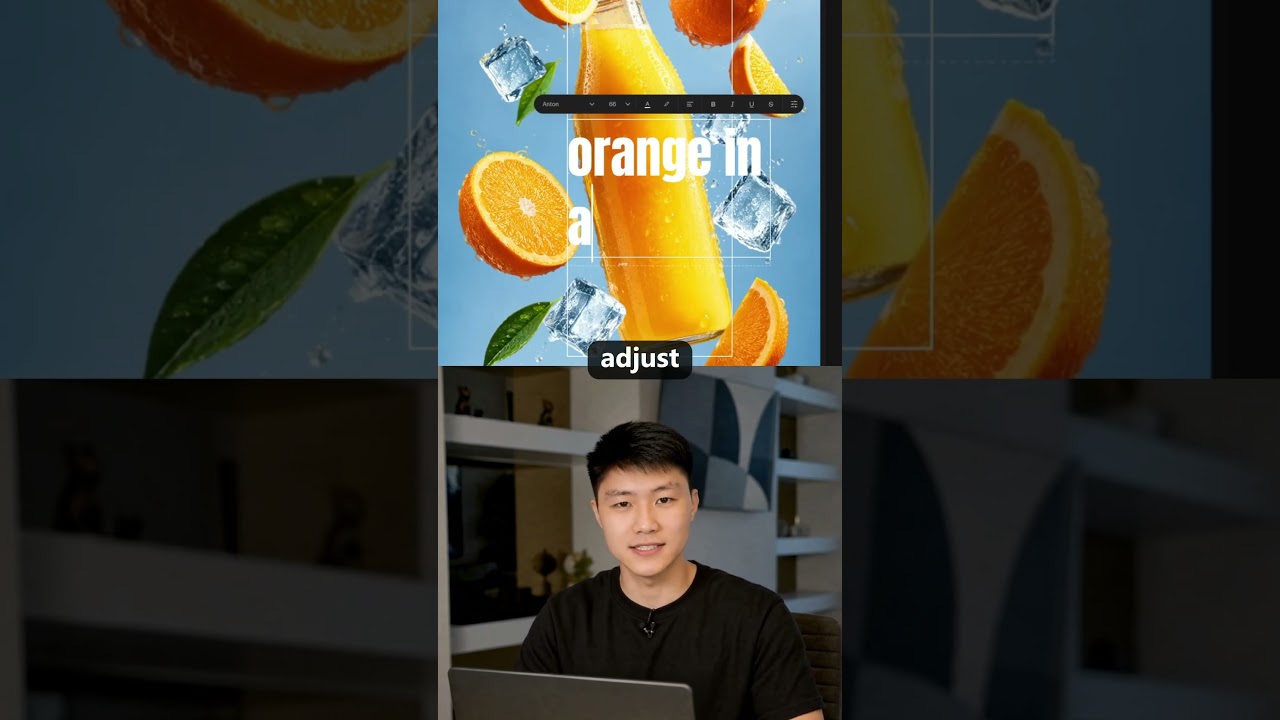
This is the part that breaks the old way of doing things. When you rewrite the headline, it stays live text. You can change the words, the font, the color, and it never gets baked into flat pixels.
In a traditional AI image generator, text is just pixels arranged to look like letters. You can't select it. You can't edit it. If the headline says "Summer Sale" and you need it to say "Winter Sale," you're generating a brand new image. The lighting changes. The product shifts slightly. The whole composition drifts.
With Layers, the text remains actual editable text. You type new words. You pick a different font. You adjust the color. The rest of the image doesn't move. The bottle stays exactly where it was. The shadows don't shift. The background doesn't flicker.
And because it's live text, you can push the copy into another language and the layout holds. One design, every market. You build the creative once. The French version gets the same composition. The Japanese version gets the same composition. You're not rebuilding per locale. You're just changing words on a text layer.
Resell the Product Without Touching Anything Else
This is where it gets practical for anyone working with product imagery. You resell the product without touching a single thing around it.
Say you've got a hero image with a bottle, fruit, ice, and a headline. The client wants to swap the bottle for a different SKU. Before Layers, you'd regenerate the entire scene and cross your fingers. Or you'd spend an hour in Photoshop masking, cloning, and color-matching.
Now you click the bottle layer. You prompt for the new product. The ice stays. The fruit stays. The lighting on the background stays. Everything around the product remains locked because it's on its own sheet. The new bottle drops into the same scene with the same shadows and reflections.
No more leaving for Photoshop. Everything done in Luma. That's not a small efficiency gain. That's removing an entire round-trip to another application. For teams producing high volumes of product imagery, that round-trip is where the hours pile up.
Your Old Files Become Working Files Again
This works on images you upload too. So an old campaign poster sitting in a folder becomes a working file again.
Think about what that means for asset libraries. You've got folders full of flat images from campaigns that ended months ago. The PSD files are lost or were never made. The photographer's raw files are on a drive somewhere. All you have is the final JPEG.
You upload that JPEG to Luma, extract the layers, and suddenly you can edit it again. The headline becomes editable text. The product becomes swappable. The background becomes adjustable. One image, a whole asset library.
That campaign poster from last quarter that needs a date change? You don't rebuild it. You deconstruct it, change the date on the text layer, and recompose. The whole thing takes minutes instead of hours.
Deconstruct, Adjust, Recompose
The workflow collapses into three steps. Deconstruct, adjust, recompose.
You start by pulling the image apart into its logical pieces. You make your changes: new text, new product, different language, whatever the job requires. Then you hit flatten and it goes back together as one whole image like it was made that way.
The recompose step isn't just stacking layers on top of each other. The model understands how the pieces relate. Shadows fall correctly. Reflections make sense. The lighting stays consistent across the whole composition. You get a single flat image that looks like it was generated in one pass, not assembled from parts.
And because the model built the image in separate pieces from the start, the seams are invisible. You don't get that cut-and-paste look. You don't get halos around objects. The boundaries between layers blend the way they would in a real photograph.
What This Kills
The old workflow dies here. The one where changing a single word means regenerating the entire image. The one where localization means rebuilding creative from scratch for every market. The one where a product swap means an hour of masking and cloning.
This kills the idea that an AI image is a finished, frozen thing. It turns it into a working document. You can revise it. You can version it. You can pull it apart and put it back together differently.
For designers, that means fewer throwaway generations. You don't need five variations of the same scene just to test different headlines. You generate one composition you like and iterate the text in place. For marketers, it means campaign assets that can evolve without starting over. For anyone managing product imagery at scale, it means one master image that spawns every variant you need.
Flat isn't final. That's the shift. AI images used to be endpoints. You prompted, you got a result, and that was the asset. Now they're starting points. You generate, you deconstruct, and then the real work begins.
Points clés à retenir
- Layers lets you pull AI images apart into separate editable pieces. Right-click, hit extract layers, and describe what to isolate in plain English. The headline, the product, the background each live on their own sheet.
- Text stays live and editable. You can change words, fonts, and colors without regenerating the image. The layout holds when you push copy into another language, so one design works across every market.
- You can swap products without touching anything around them. Change the bottle, the packaging, whatever, and the background, lighting, and surrounding objects stay locked. No more leaving for Photoshop.
- Uploaded images become working files again. An old campaign poster in a folder can be deconstructed, edited, and recomposed. One flat JPEG turns back into an editable asset library.
- The workflow is three steps: deconstruct, adjust, recompose. Pull the image apart, make your changes, flatten it back together. The result looks like it was generated that way from the start.
- This kills the old way of iterating on AI images. No more regenerating the entire picture because one word changed. No more rebuilding creative from scratch for localization. Flat isn't final anymore.
The thing that matters here isn't just the feature. It's the change in how you think about AI-generated images. They stop being disposable outputs and start being files you can actually work with. You build once. You version endlessly. The image becomes a living document instead of a dead end.